Everything a shelter runs on, in one system.
From the first night at the front desk to the day someone moves into their own place, every step is recorded once and connected to the same guest record.
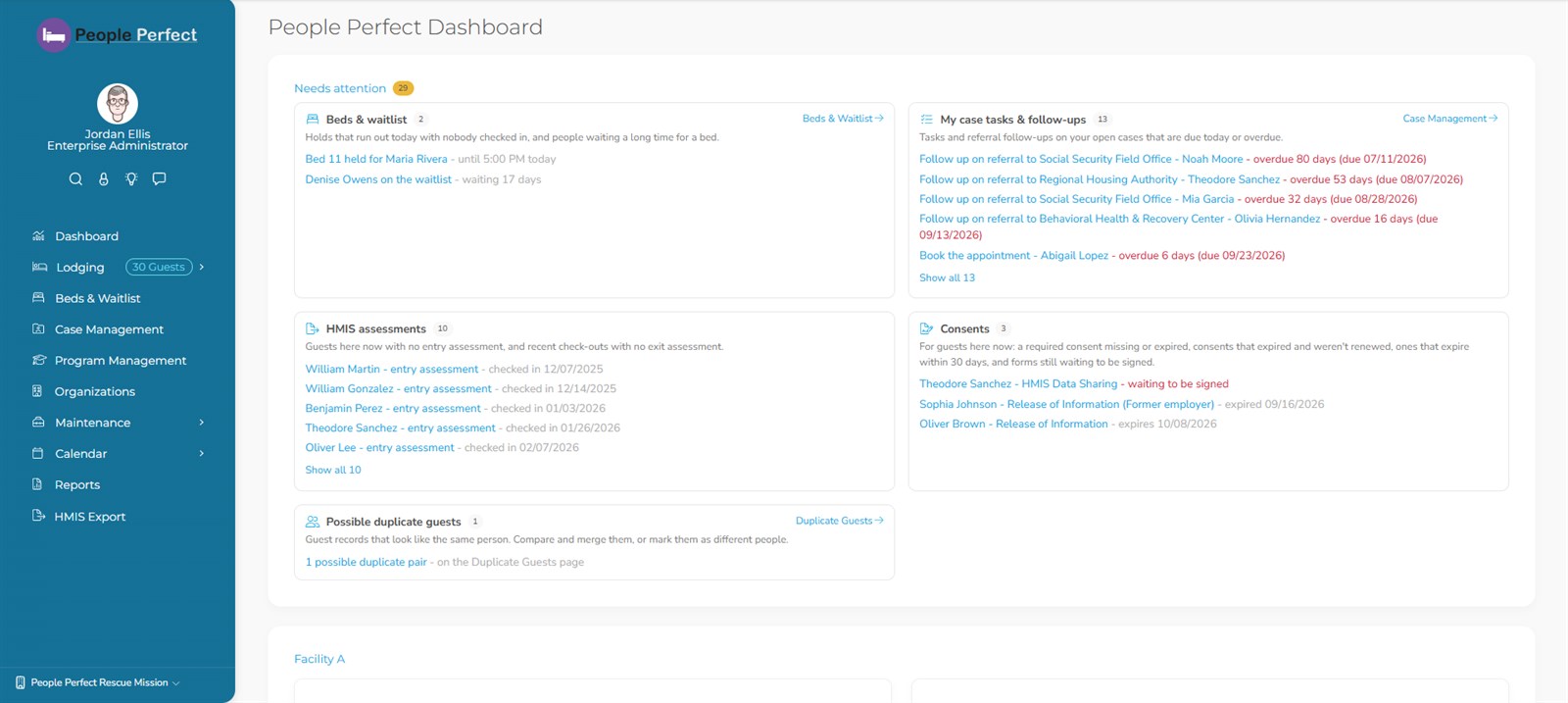
Your day, prioritized.
Staff sign in to a list of what needs doing today, instead of a pile of screens to check.
- Bed holds that run out today, and people who have waited longest for a bed
- Case tasks and referral follow-ups due today or overdue, for your own caseload
- HMIS assessments missing for guests here now and recent departures
- Consents expiring within 30 days, or still waiting on a signature
- Possible duplicate guests to review
- Guests and bed nights per facility this week, month and year

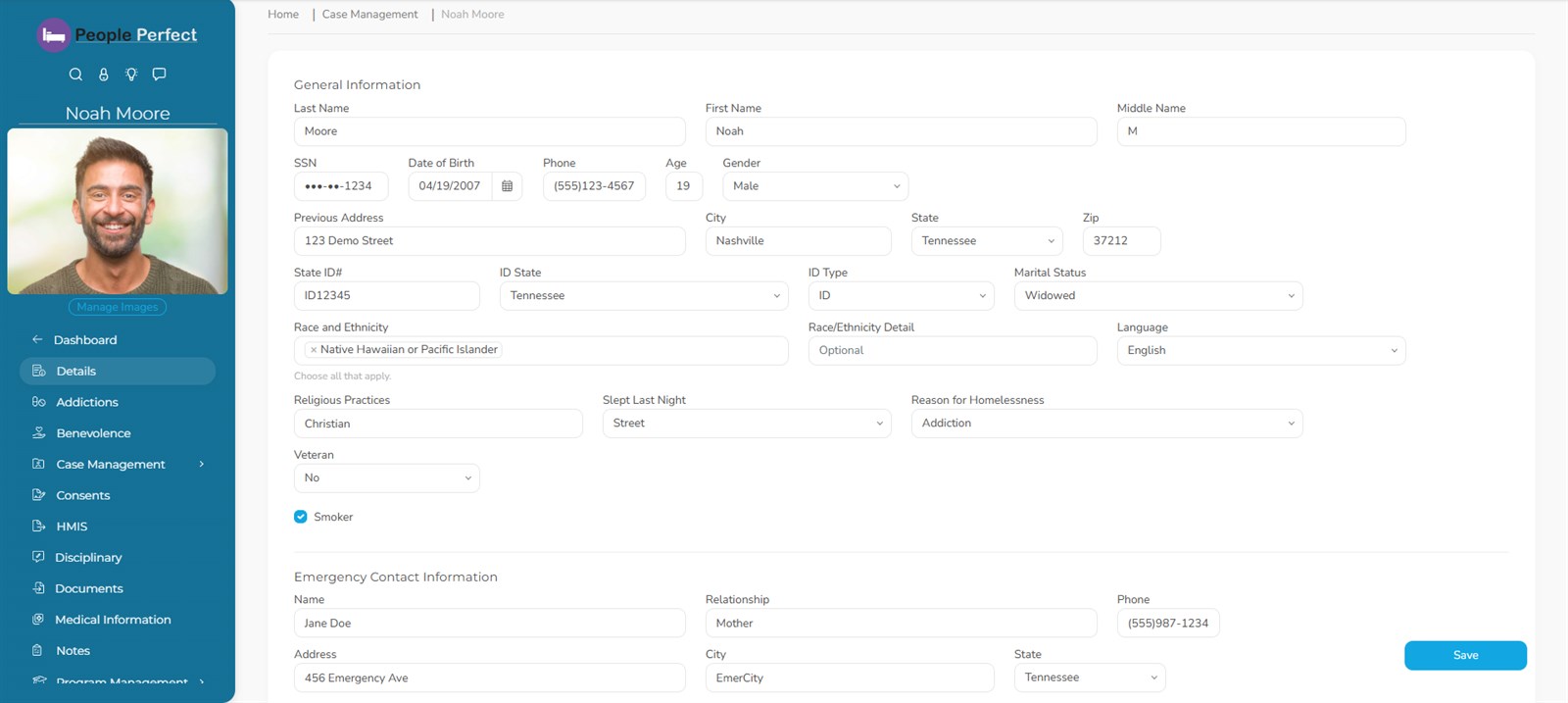
A complete, respectful record of every guest.
Fast intake with a warning when the person is already on file, and everything about their stay in one profile.
- Guest profile with photos (including webcam capture), documents, visits and relationships
- Medical information: medications and allergies
- Addiction & recovery history, psychiatric, developmental and trauma history
- Drug screens, incidents & disciplinary records with who approved them
- Restrictions & bans with end dates that lift automatically, history kept
- Sex offender registry check and a ZIP-to-city/county check at intake
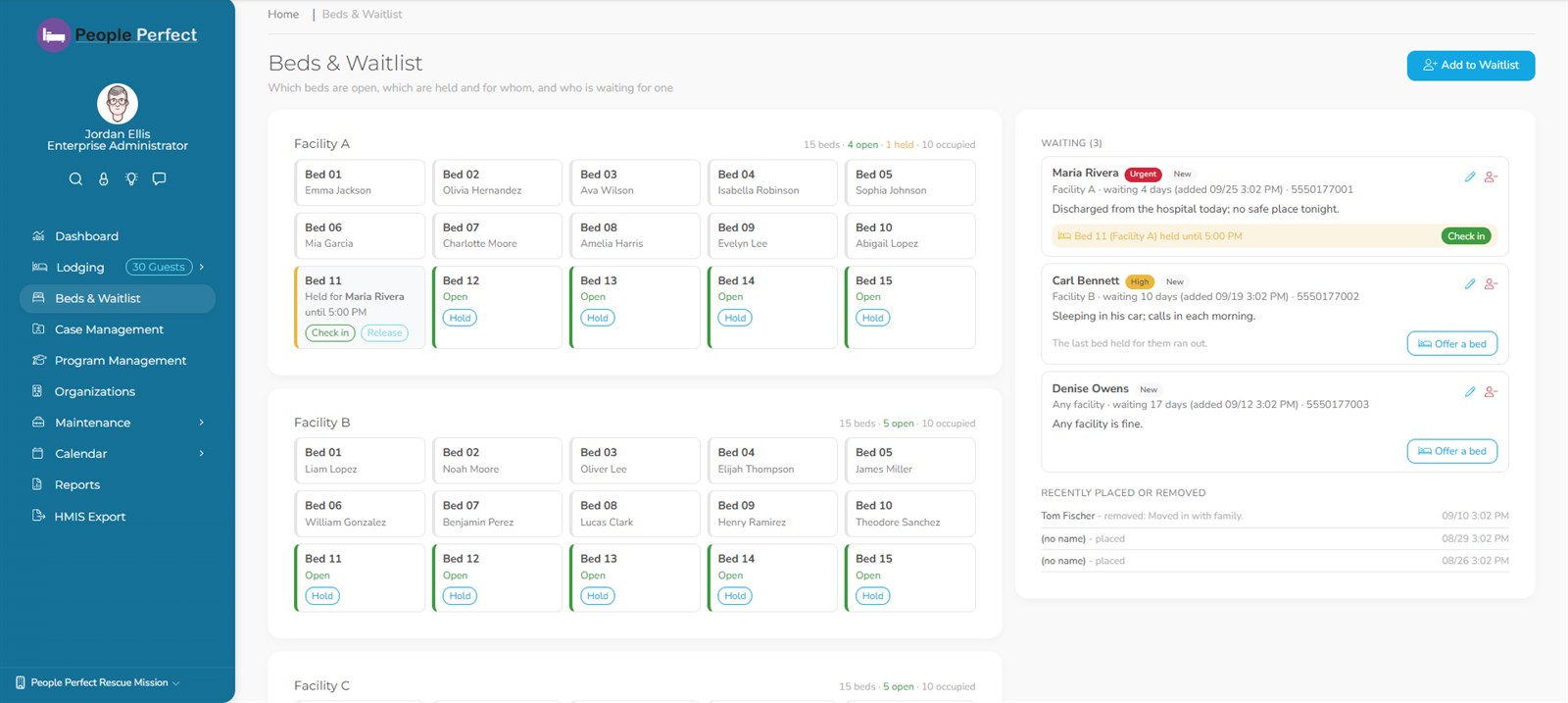
Know who's in every bed, and who's next.
A live board of every facility's beds, plus a waitlist that makes placement fair and visible.
- Bed board for every facility: open, held and occupied
- Hold a bed for someone until a set time; a held bed isn't offered to anyone else at check-in
- Waitlist with priority, notes and how long each person has waited
- Check-in, check-out and bed changes, with a nightly census
- Turn it on or off for your organization at any time
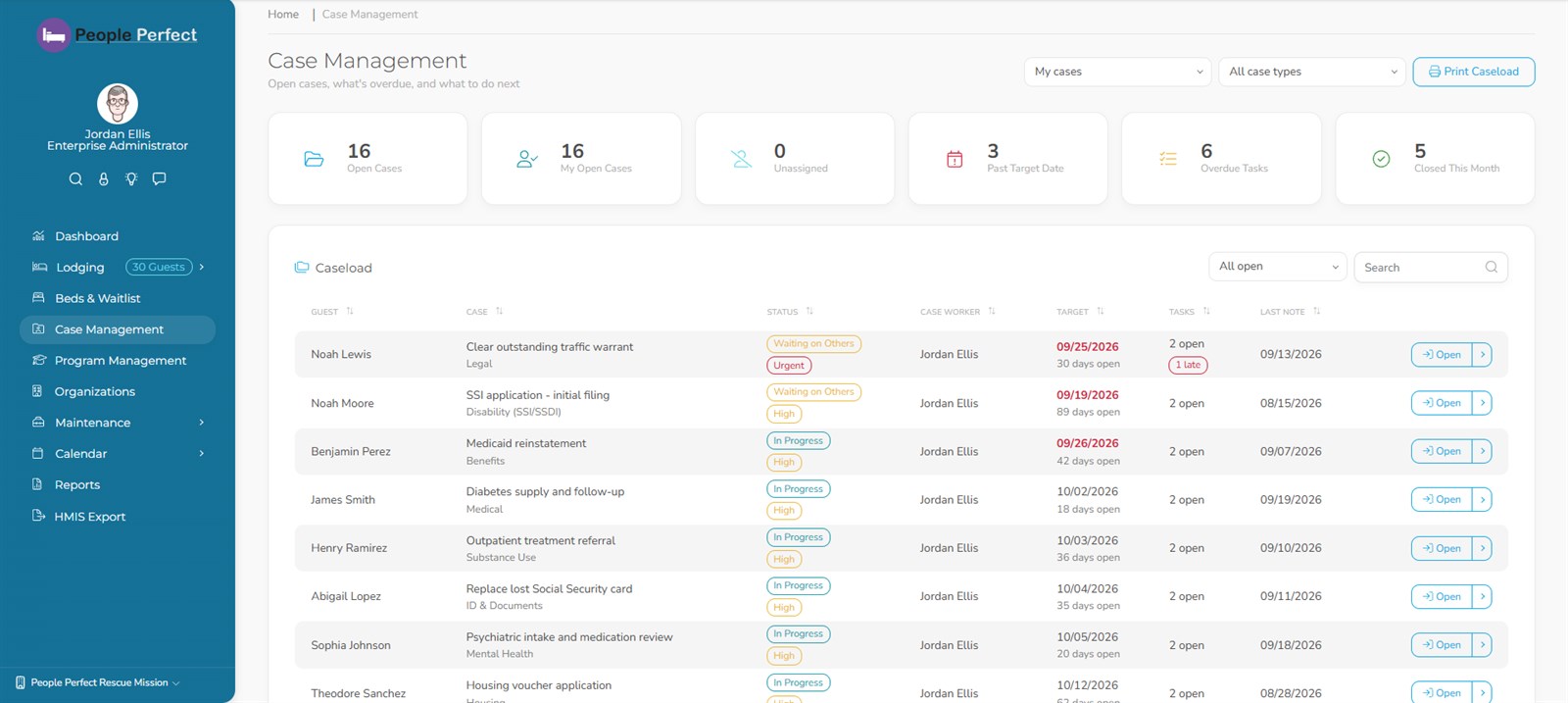
The work beyond the bed.
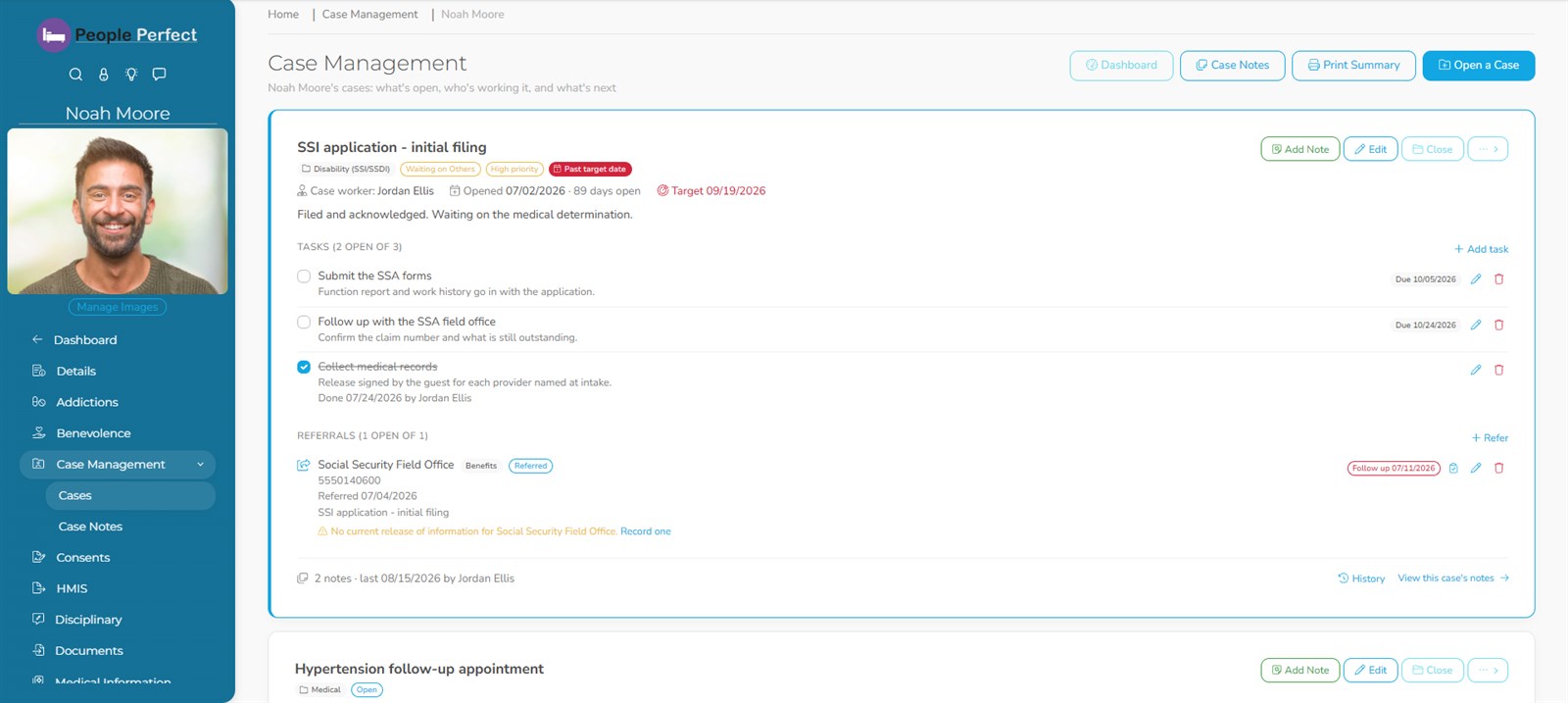
Getting an ID, a disability application, a medical follow-up: each one is a case with an owner, a plan and an outcome.
- Cases per guest by type, assigned to a case worker, closed with an outcome (and reopenable)
- Tasks with due dates; overdue work surfaces on the dashboard
- Case notes with an automatic history of every change
- Referrals to partner agencies with follow-up dates, tracked to an outcome
- Caseload dashboard and a printable caseload for supervision
Included with Standard, Community and Enterprise.
Releases of information, handled properly.
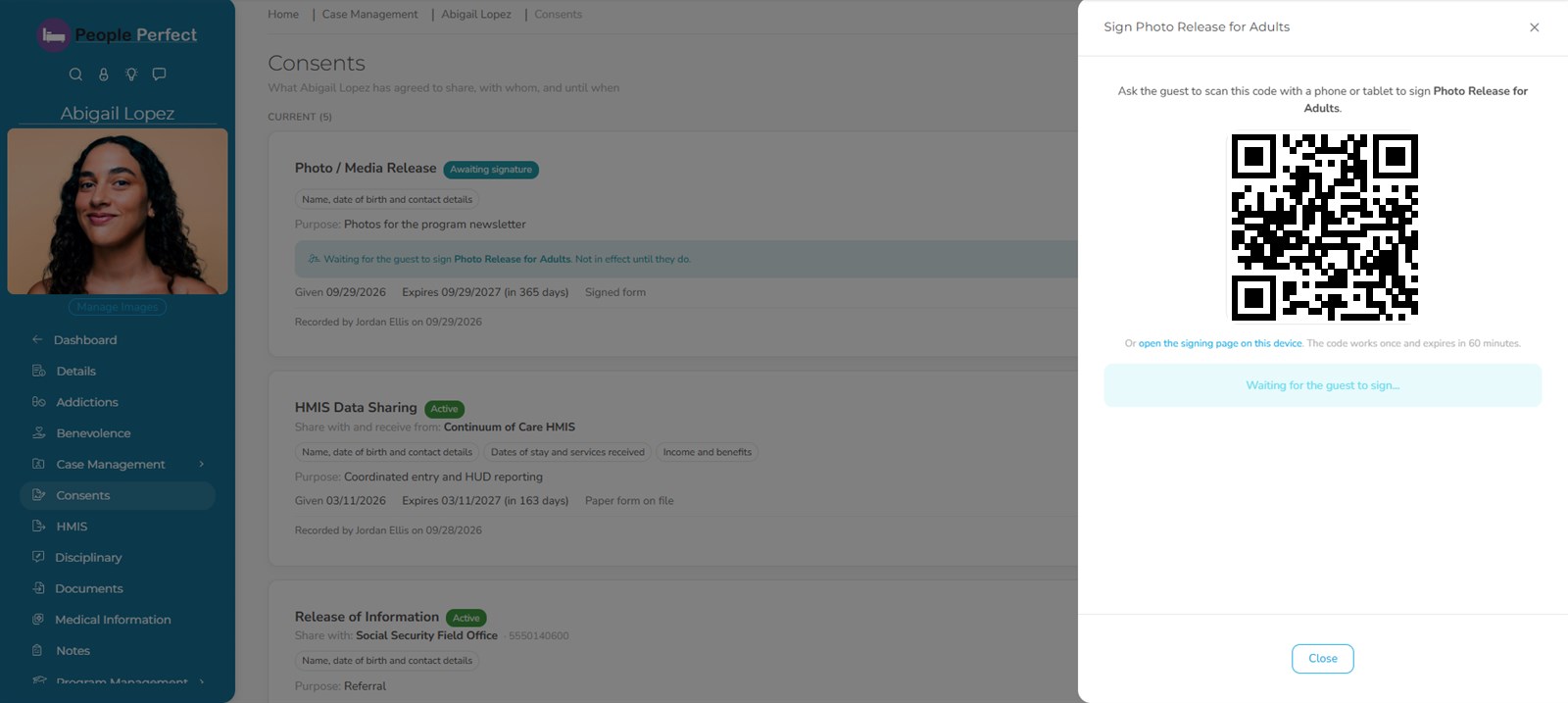
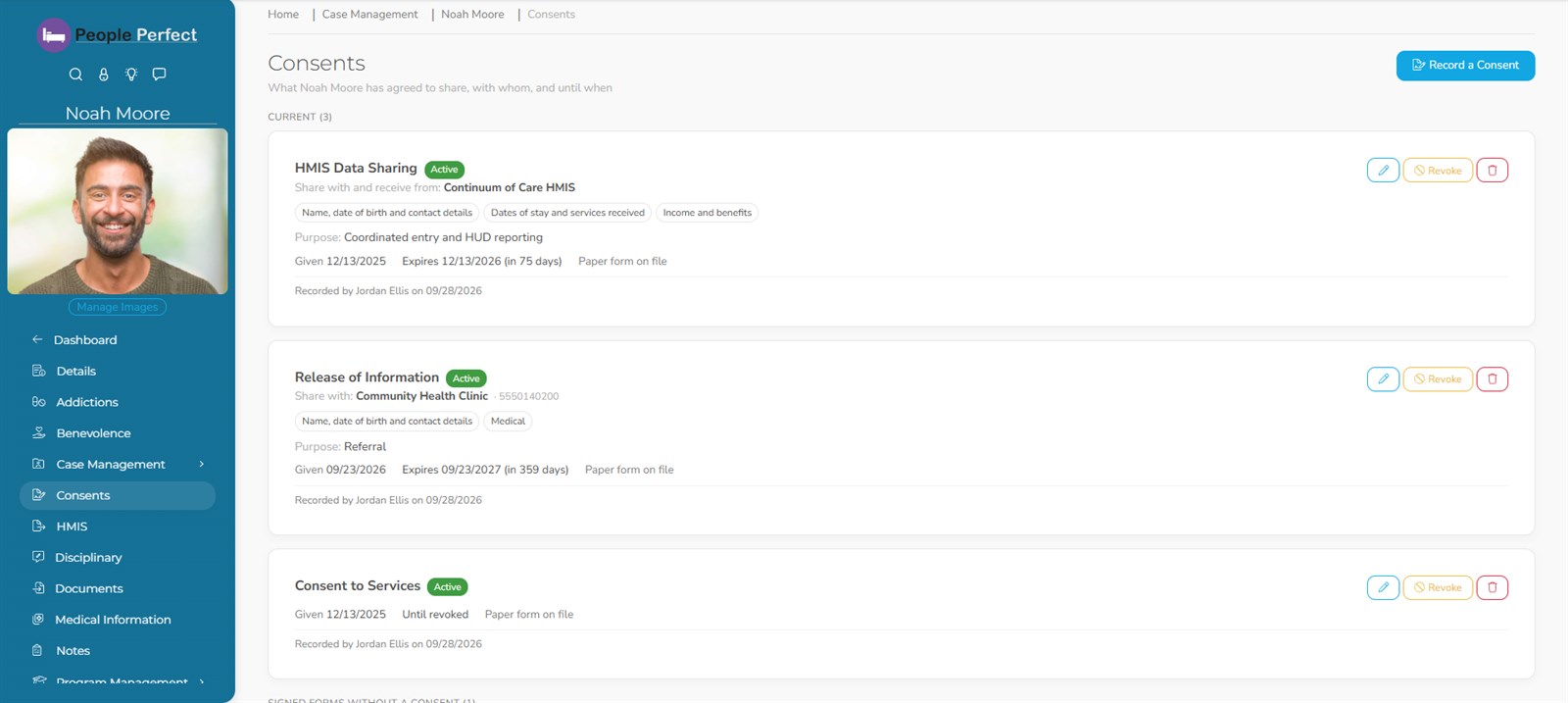
Record what each guest has agreed to share, with whom and until when, and have them sign on their own phone.
- Consents per guest and partner agency, with exactly what information each one covers
- Sign on their phone: the guest scans a QR code and signs, and your screen updates the moment they're done
- Signing links are single-use and expire in an hour
- Required consents by type; expiring ones flagged 30 days ahead
- Withdrawals are recorded, never deleted
Programs, progress, and program fees without the ledger book.
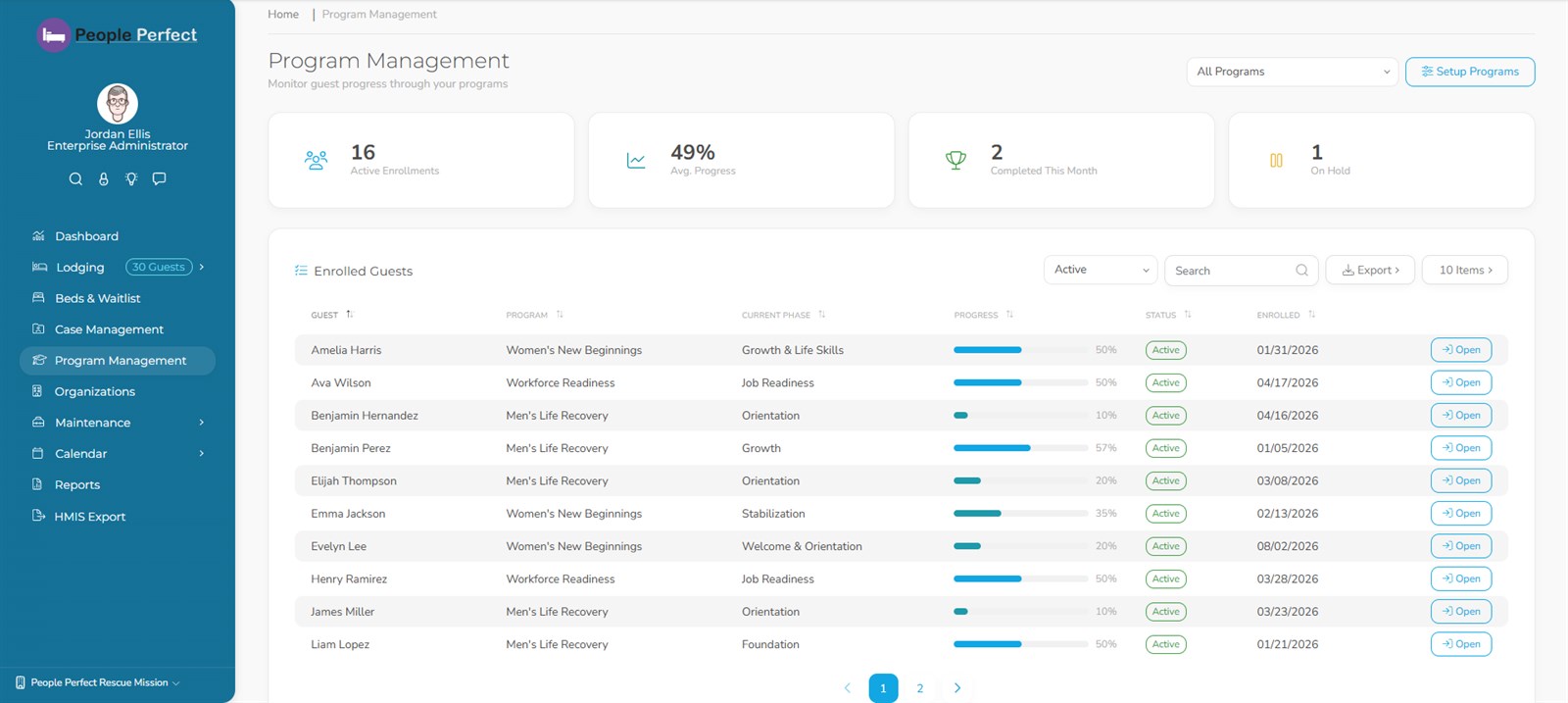
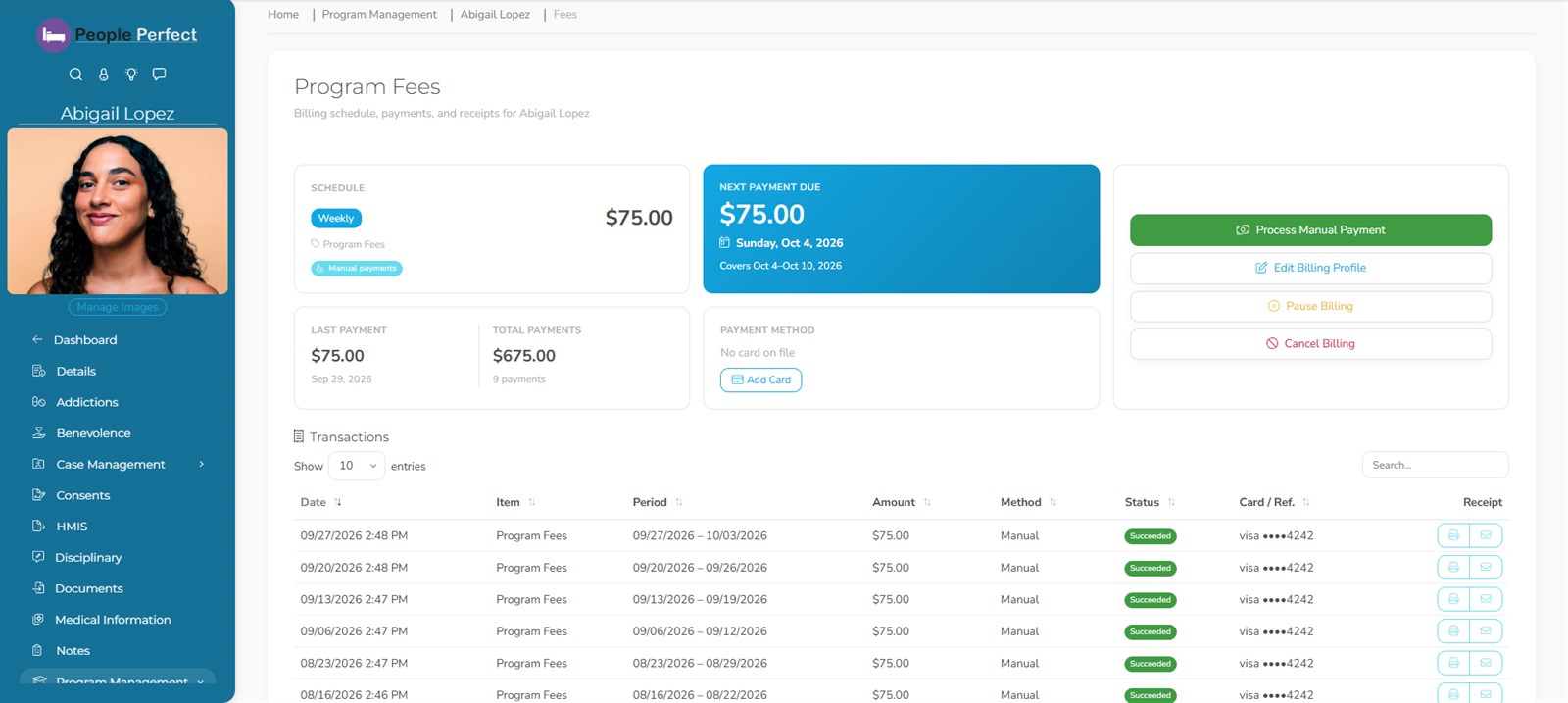
Enroll guests in programs with phases and goals, and collect program fees by card, automatically or at the desk.
- Program enrollment with phases, goals, progress and program notes
- Program fees powered by Stripe: saved card, automatic recurring billing, manual payments and printable receipts
- Weekly or monthly schedules, prepaying ahead, and catching up a transferring guest in one charge
- Past-due status on the program dashboard, plus fee arrears and payment reconciliation reports
- Benevolence & in-kind assistance tracked with its dollar value
Program management is on every plan; program fees are included with Standard, Community and Enterprise.
Program fees that land in your books on their own.
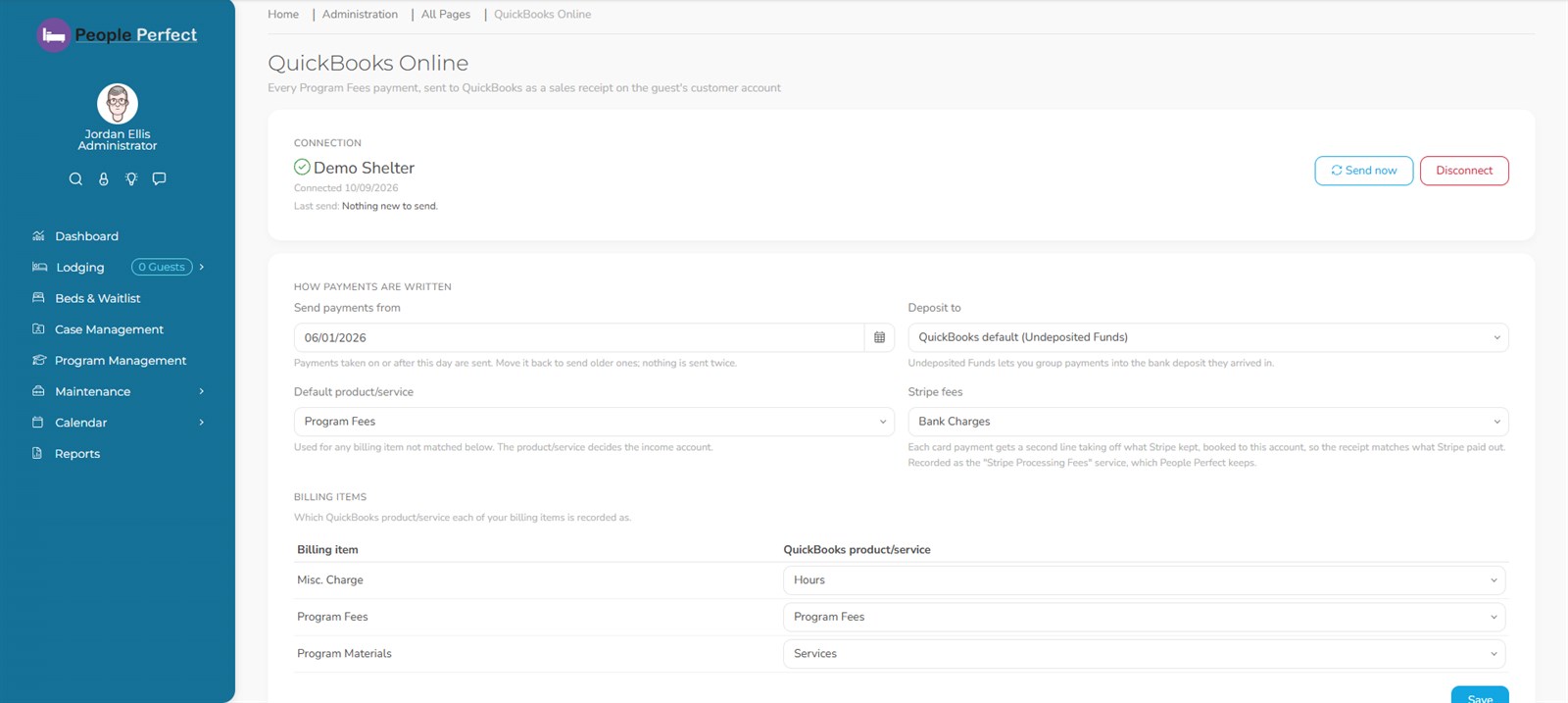
Connect your QuickBooks Online company once. From then on, every program fee payment shows up in QuickBooks as a sales receipt on the guest's customer account. Nobody has to re-key it.
- Every payment, every way: card, cash, check or money order, each recorded with the right payment method
- Guests become customers automatically with their first payment. If QuickBooks already has someone by that name, the payment waits for you to confirm, so nothing is guessed
- Your chart of accounts: match each billing item to a product/service, and choose the deposit account (Undeposited Funds by default)
- Stripe fees booked for you to the expense account you choose, so receipts match what Stripe actually paid out
- Sends automatically every few minutes, or right away with "Send now". If QuickBooks is down, the front desk never waits
- Never sent twice: one receipt per payment, even when a send is retried. Starts from the day you connect, and you can backfill older payments
- Error log with Intuit's reference numbers, exportable for your bookkeeper or support
Included with Standard, Enterprise and Community; we switch it on when you ask.
QuickBooks is a registered trademark of Intuit Inc.
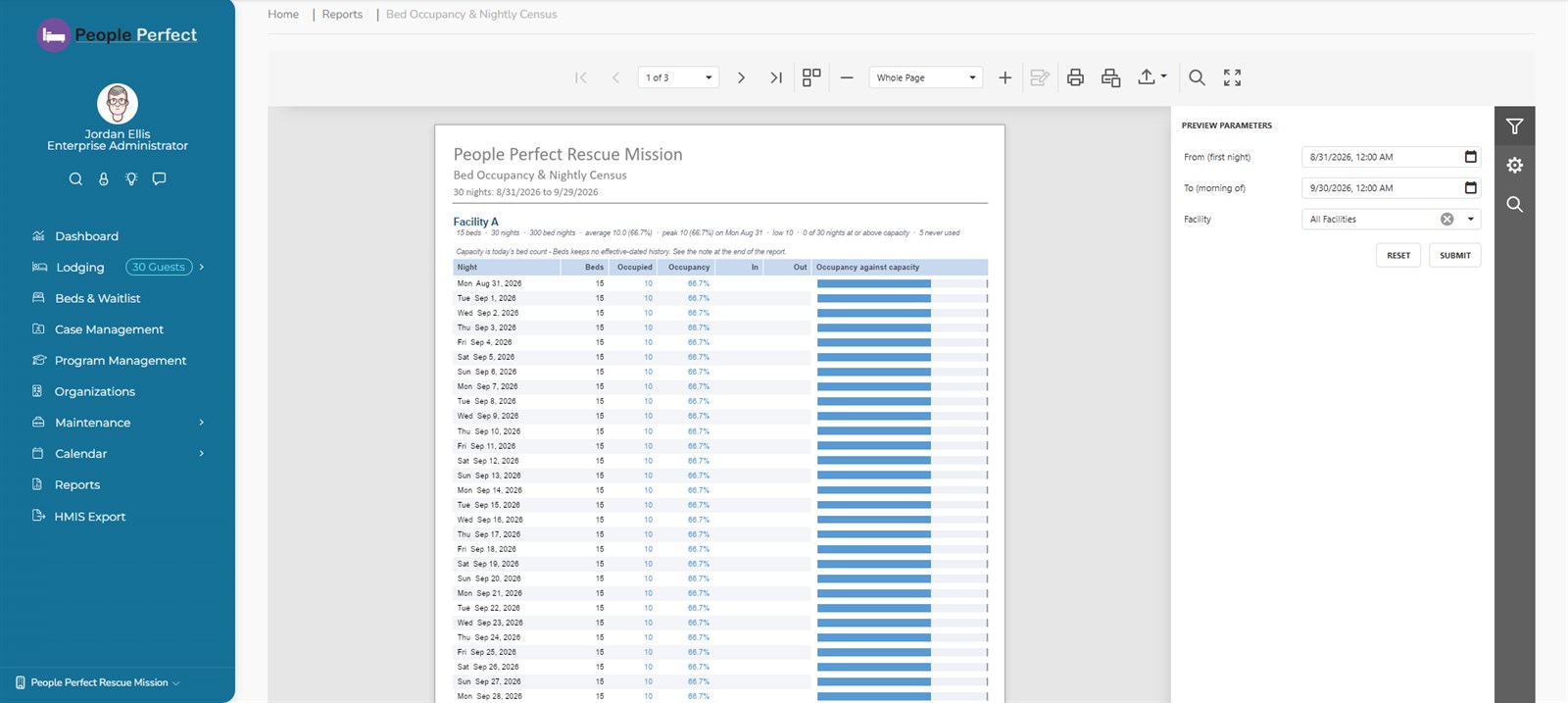
40+ built-in reports, grouped the way funders ask.
Run any report on demand, or schedule it to be emailed daily, weekly or monthly, to yourself or to colleagues who have access to it.
Operations
- Daily Worksheet
- Daily Log Monthly Trend
- Service Summary
- Bed Occupancy & Nightly Census
- Bed Reservations & Waitlist
- Length of Stay
- Point-In-Time & HIC Count
Outcomes
- Program Outcomes & Progress
- Employment Outcomes
- Exit Outcomes
- Recidivism
- Benefits Enrollment & Gaps
- Case & Referral Outcomes
Demographics
- Demographic Profile
- Household Composition
- Visits by County
- Distinct Guests by County
- Previous Locations
- Guest Activity by Guest
Compliance & safety
- Data Quality: Contradictions
- Document Compliance Gaps
- Case Note Activity & Contact Gaps
- Consents & Releases
- Incidents, Drug Screens, Restriction List
- Medication & Allergy Roster
Finance
- Fee Arrears Aging
- Payment Reconciliation
- Benevolence & In-Kind Value
Case work
- Open Caseload
- Case Outcomes & Statistics
- Guest Case Summary
- Shelter Verification letters
Staff
- User Activity by Date
- User Activity by User
HUD's HMIS CSV, without the scramble.
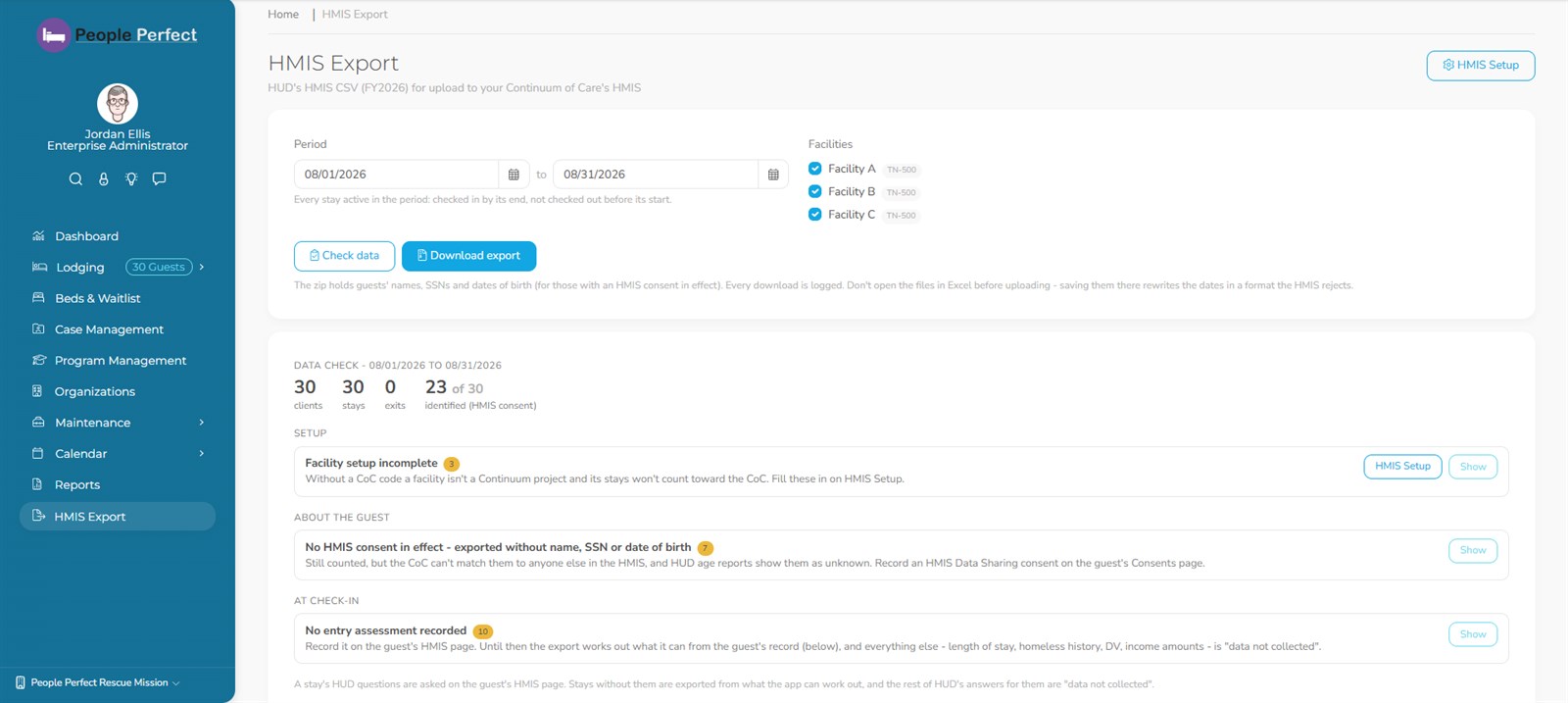
For shelters reporting to a Continuum of Care: export stays in HUD's FY2026 HMIS CSV format, zipped and ready to upload.
- HMIS Setup: each facility's CoC code, funders, and HUD destinations for your departure reasons
- Built-in data check shows what the file will contain and what's missing, with one click to the screen that fixes it
- Consent-aware: identifying data is only exported for guests whose consent allows it
- Every download is logged
The right access for every role.
Sensitive information stays with the people who need it, and your lists and forms fit the way you work.
Role-based permissions
Fine-grained permissions with reusable permission templates, and facility-level access so staff only see the sites they work.
Secure sign-in
Every user signs in. Two-factor sign-in, a password policy, automatic lockout after repeated failed attempts, and user activity reports.
Encrypted, per organization
Sensitive data is encrypted with a key unique to your organization, the database is encrypted at rest, and downloads of sensitive data are logged.
Duplicate guest merge
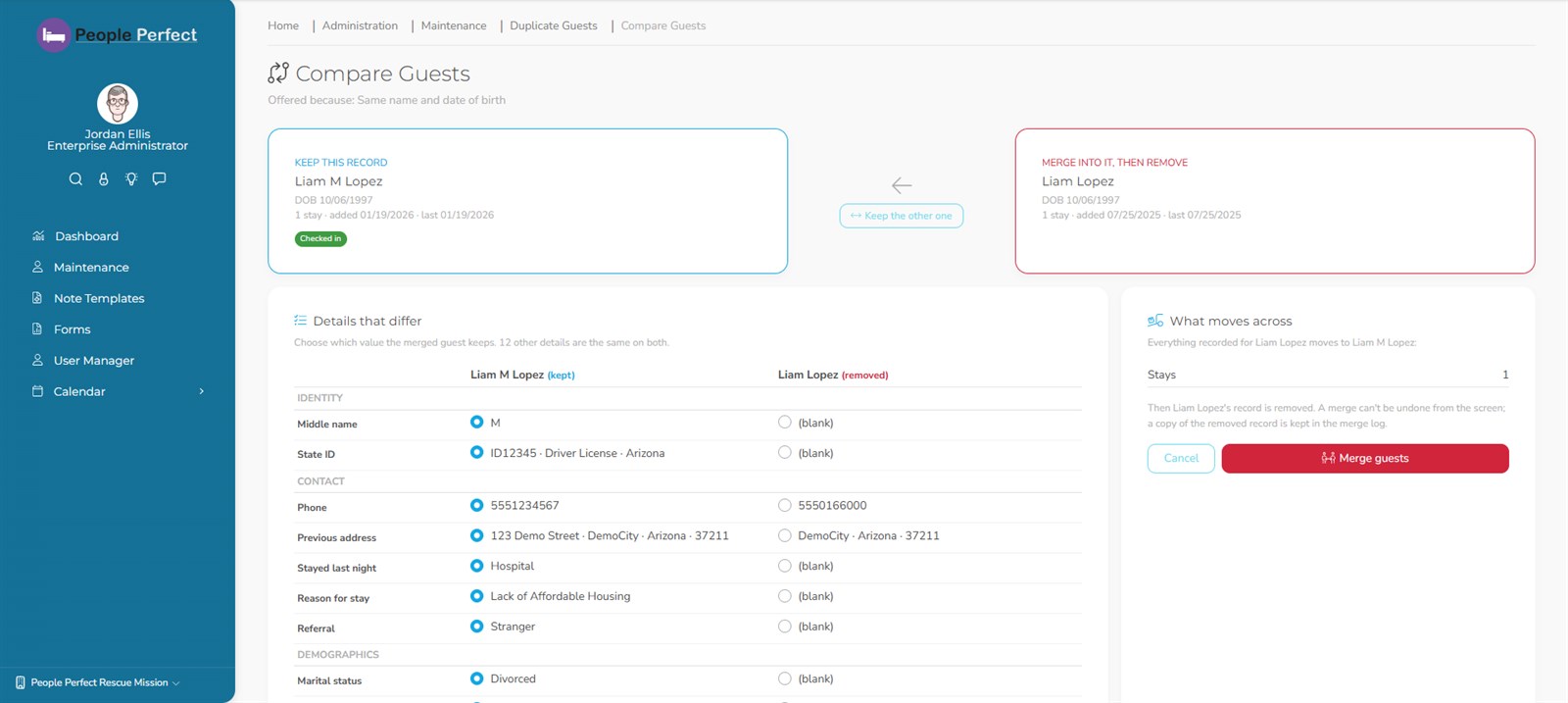
Likely duplicates are found for you. Compare side by side, pick what to keep, and merge every stay, note and document into one record.
Custom forms & note templates
Design your own forms and note templates, and set up your own case types, partner agencies, consent types, billing items and daily-log items.
Calendar & messaging
A shared calendar for scheduling, and real-time messages between staff.
One site, several, or a whole network.
-
Multiple facilities
Every plan handles several facilities, each with its own beds and census.
-
Organizations (Community)
Several organizations working together in one shared system.
-
Multiple tenants (Enterprise)
Run many sites with separate data under one Enterprise administrator, and copy one site's setup to a new one.
Features by plan
Every plan includes intake, beds, guest records and reports. See Pricing for current prices.
| Feature | Lite | Standard | Enterprise | Community |
|---|---|---|---|---|
| Intake, guest records, beds & check-in | ||||
| Dashboard, consents & e-signatures | ||||
| 40+ reports & scheduled report emails | ||||
| Bed reservations & waitlist | ||||
| Program management (programs, phases, goals, progress) | ||||
| HMIS export | ||||
| Case management | ||||
| Program fees & billing (Stripe) | ||||
| QuickBooks Online sync (switched on at your request) | ||||
| Multiple tenants under one administrator | ||||
| Organizations (several organizations in one system) |
Want to see it on a real shift?
We'll show you a guest's whole stay, from intake to exit, and answer your questions as we go.